

















How to Play Deltarune Battle Simulator V4
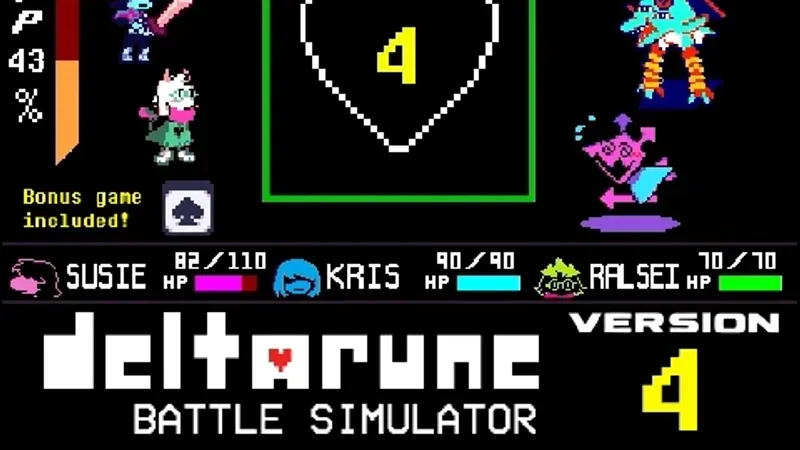
Deltarune Battle Simulator V4 is a fan-made battle simulator by Scube3000 that focuses on Deltarune-style SOUL movement and attack challenges instead of following a normal story chapter. The project also includes Puzzle Master 2 and an in-game instruction manual.
Click inside the player before using the keyboard. In Battle Sim V4, use the Arrow Keys or WASD to move the SOUL and navigate menus, press Z to select, and press X to cancel or go back. On supported mobile layouts, the game provides an on-screen D-pad together with Z and X buttons.
If you plan to leave or refresh the page after making progress, open the in-game Options app and get your save file first. The creator specifically recommends doing this before closing or refreshing the game.
Deltarune Battle Simulator V4 Controls
| Key | Action |
|---|---|
| Arrow Keys / WASD | Move the SOUL and navigate menus |
| Z | Select / Confirm |
| X | Cancel / Go back |
| On-screen D-pad | Move the SOUL and navigate menus on mobile |
| On-screen Z / X | Select and cancel on mobile |
Click inside the game window first if desktop keyboard controls do not respond.
What Is Deltarune Battle Simulator V4?
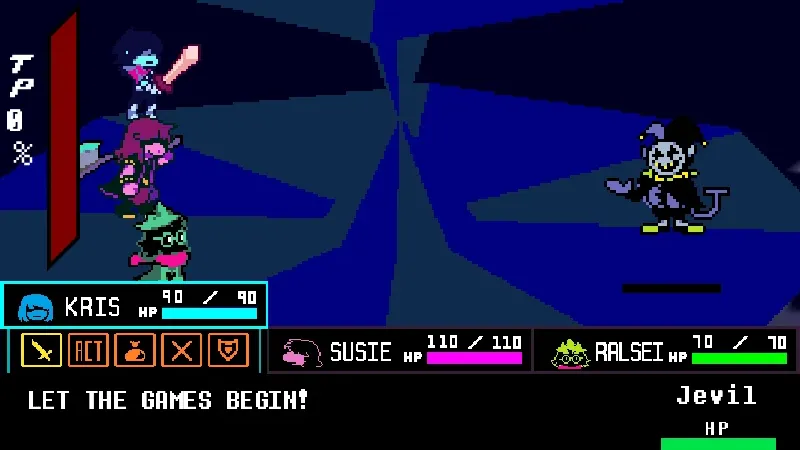
Deltarune Battle Simulator V4 is a fan-made Deltarune battle project created by Scube3000. Rather than recreating one specific boss encounter, it is built around Deltarune-style battle challenges, SOUL movement, menus, and attack-pattern gameplay.
V4 is part of Scube3000's longer Deltarune Battle Simulator series and is a separate project from the Roblox game named DELTARUNE Fight. If you searched specifically for Deltarune Battle Simulator or Deltarune Battle Simulator V4, this is the corresponding game.
Battle Sim V4 and Puzzle Master 2
- Battle Sim V4: The main battle simulator. Use Z and X to work through the menus and move the SOUL with the Arrow Keys or WASD during the playable challenges.
- Puzzle Master 2: A separate mode built around button and hotkey inputs. On desktop, use the hotkeys shown by the game; on mobile, press the corresponding on-screen buttons.
- Instruction Manual: The game includes its own manual if you want an explanation of its menus and systems before starting.
- Options and Save File: Use the Options app to obtain your save file before leaving or refreshing the page if you want to preserve your progress.
Tips for Deltarune Battle Simulator V4
- Choose one movement layout and stick with it. Desktop players can use either the Arrow Keys or WASD. Using the same set consistently makes tight SOUL movement easier to learn.
- Use Z and X instead of clicking through desktop menus. The game is designed around Z to select and X to go back, so learning those two keys makes menu-to-battle transitions much faster.
- Save before refreshing or leaving. Open the Options app and get your save file first. Do not assume a browser refresh will preserve everything automatically.
- Use the in-game manual when a menu is unclear. V4 includes its own instruction manual, which is the safest reference for game-specific options and controls.
- Restart if assets fail to load correctly. If a sprite appears as a question-mark box or part of the game does not render, use the site's Restart button or reload the page and let the game initialize again.
- Restore keyboard focus after using page controls. If you click Search, Share, Restart, or Fullscreen and the keyboard stops controlling the game, click inside the player once before continuing.
Frequently Asked Questions
What is Deltarune Battle Simulator V4?
It is a fan-made Deltarune battle simulator created by Scube3000. It focuses on SOUL movement, battle challenges, menus, and attack-pattern gameplay rather than a normal story campaign.
Is Deltarune Battle Simulator the same as DELTARUNE Fight?
No. Deltarune Battle Simulator V4 is Scube3000's fan-made battle simulator. DELTARUNE Fight is a different Roblox game, so the two names refer to separate projects.
What are the Deltarune Battle Simulator V4 controls?
On desktop, use the Arrow Keys or WASD to move the SOUL and navigate menus, Z to select, and X to cancel or go back.
Can I play Deltarune Battle Simulator V4 on mobile?
The original version includes an on-screen D-pad plus Z and X buttons for mobile controls.
What is Puzzle Master 2?
Puzzle Master 2 is a separate mode included with the simulator. Desktop players use the hotkeys shown by the game, while mobile players use the corresponding on-screen buttons.
How do I save my progress?
Use the in-game Options app to obtain your save file before leaving or refreshing the page. The game's creator specifically recommends doing this to avoid losing your current save.
Why are some sprites showing as question marks?
This can happen when part of the game does not load correctly. Restart the game or refresh the page and allow it to initialize again.
Is Deltarune Battle Simulator V4 an official Deltarune game?
No. It is a fan-made battle simulator and is not an official release from the Deltarune team.