












How to Play Asriel Dreemurr Fight Simulator
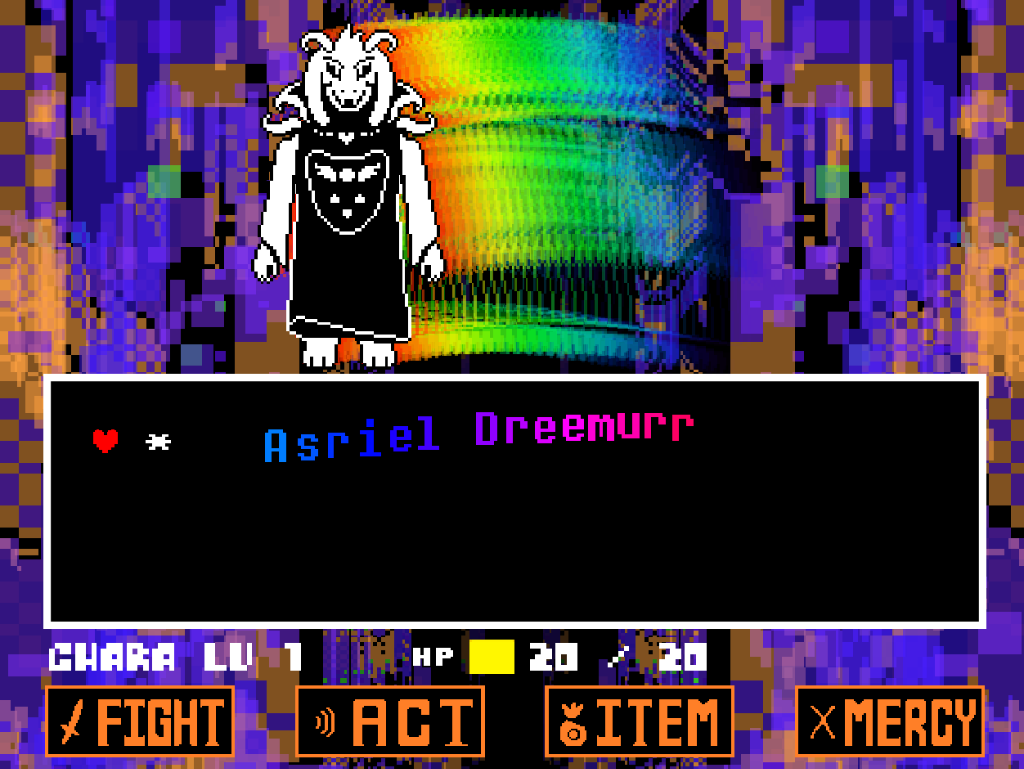
Asriel Dreemurr Fight Simulator lets you replay a fan recreation of the Asriel battle from Undertale without playing through the full story first. Click Play, then click inside the game window so your keyboard input goes to the battle. Use the Arrow Keys to move through menus and control your SOUL, Z to select or advance dialogue, X to cancel or speed up text, and P to toggle screen shake.
The fight follows Asriel's God of Hyperdeath encounter through a sequence of scripted attacks. Instead of treating it like a normal boss where repeated damage is the only objective, concentrate on surviving each pattern and using the available battle actions to advance the encounter. The recreation includes recognizable sequences such as Star Blazing, Shocker Breaker, blaster attacks, sword attacks, and Hyper Goner before the later part of the fight changes how you progress.
If the keyboard stops responding after using Search, Restart, Fullscreen, or another website control, click inside the game once and try again.
Asriel Dreemurr Fight Controls
| Key | Action |
|---|---|
| Arrow Keys | Navigate menus and move your SOUL during attacks |
| Z | Select an option and advance dialogue |
| X | Cancel supported selections and speed up text |
| P | Toggle screen shake |
These are the verified controls for this version. Click inside the game window first if the keyboard does not respond.
About This Asriel Dreemurr Fan Battle
This playable battle is a fan-made recreation by tripoid based on Asriel Dreemurr's climactic encounter in Undertale. Asriel appears in his God of Hyperdeath form, with the fight centered on surviving his changing projectile, lightning, sword, and blaster attack patterns.
This is a standalone fan recreation rather than the official Undertale release. It is useful if you want to replay the Asriel encounter without going through the full story again, but exact timing, hitboxes, visual effects, and other details should not be assumed to behave identically to the original game.
Tips for the Asriel Dreemurr Fight
- Move before Shocker Breaker lands. The lightning attacks give you a short visual warning before the strike. Move out of the marked area first, then stop making unnecessary corrections once you reach a safe gap.
- Leave space for Star Blazing to split. Dodging the large incoming star is only the first part of the pattern. Keep enough room around your SOUL to react to the smaller stars that spread out afterward instead of moving straight into a corner.
- Change your movement with the blaster pattern. Do not drift continuously across the box. Watch the spacing of each volley, move only when the current lanes require it, and be ready to move again when the charged blast appears.
- Do not commit to a corner during sword attacks. Staying closer to an area with two possible escape directions gives you more room to react when a slash changes sides or the usable space becomes tighter.
- Fight the pull during Hyper Goner. Keep moving away from the center of the pull while making small corrections around incoming projectiles. Large sideways movements make it easier to run into another hazard while the screen is already dragging your SOUL.
- Turn off screen shake if it hides attack cues. Press P to toggle the effect. Removing camera movement can make warning positions and projectile spacing easier to read without changing the attack itself.
- Restore keyboard focus after using page controls. Restart, Fullscreen, Search, or other website controls can move focus away from the game. Click inside the player once before assuming the game controls are broken.
Frequently Asked Questions
What is Asriel Dreemurr Fight Simulator?
It is a standalone fan recreation of the Asriel Dreemurr boss fight from Undertale. You can open the battle directly in your browser without replaying the full Undertale story.
Is this the official Undertale Asriel fight?
No. This is a fan-made recreation by tripoid based on the Asriel encounter from Undertale. Its timing, hitboxes, effects, and other details may differ from the official game.
What are the Asriel Dreemurr Fight controls?
Use the Arrow Keys to navigate menus and move your SOUL. Press Z to select or advance dialogue, X to cancel supported selections or speed up text, and P to toggle screen shake.
Why are my keyboard controls not working?
Click inside the game window once to restore keyboard focus. This is especially useful after using Search, Restart, Fullscreen, or another control on the surrounding website.
Does this game include Asriel's God of Hyperdeath fight?
Yes. The recreation is based on the Asriel Dreemurr encounter associated with his God of Hyperdeath form and includes recognizable attack sequences from that battle.
How do you beat Asriel Dreemurr?
Focus on surviving each scripted attack rather than treating the encounter as a normal damage race. Read the warning cues, avoid committing to corners, and use the available battle actions as the encounter progresses.
Can I practice Star Blazing and Hyper Goner here?
Those attack sequences appear as part of the battle flow. This version does not have a verified Single Attack or Practice menu that lets you select an individual attack directly.
Can I turn off screen shake?
Yes. Press P during the game to toggle screen shake. This can make some attack cues easier to follow if the camera movement is distracting.