
























How to Play Chrome Dino Undertale Game
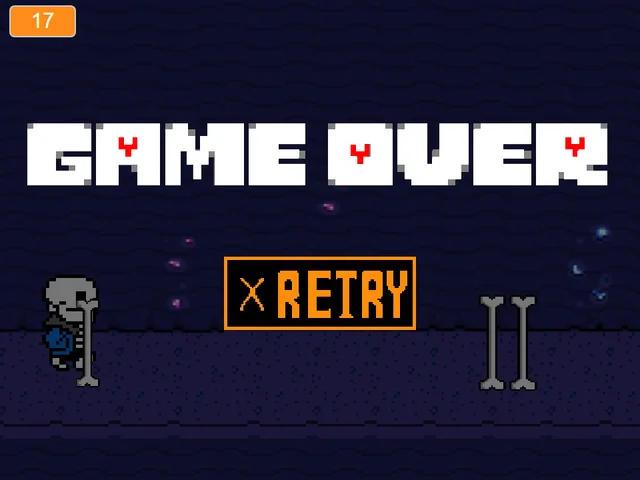
Chrome Dino Undertale Game is a witty, addictive arcade endless runner created by indie developer DamianSP1. Transforming the ubiquitous offline browser dinosaur runner into an Undertale-themed reflex trial, the game features a comical bone guy sprinting tirelessly across an obstacle-strewn desert runway. As the developer humorously describes, you are a "funny bone guy jumping over big bones, trying to keep his family alive."
To start playing, click inside the game window and press the Spacebar or Up Arrow to initiate your sprint. The skeleton character accelerates automatically to the right as terrain scrolls beneath your feet. Your objective is simple yet fiercely demanding: jump over clusters of rising bones, duck under airborne threats, and sustain an unbroken sprint for as long as possible to set legendary high scores. The intuitive one-button and two-button controls make it easy to learn, but the escalating speed curve tests the limits of hand-eye coordination.
Key gameplay mechanics, collision rules, and scoring systems include:
- Precision Jump Timing: Tapping the Spacebar or Up Arrow launches your character into a crisp vertical leap. The height and duration of your jump must be carefully timed to clear single tall bone pillars, low double-bone hurdles, and sprawling triple-bone barriers without brushing against the hazardous tips. Premature jumps cause you to descend directly onto oncoming spikes, while jumping too late results in head-on collisions.
- Ducking and Fast-Falling: Pressing the Down Arrow causes the runner to duck into a low sliding posture, allowing you to slip safely underneath elevated airborne obstacles. Additionally, pressing the Down Arrow while airborne triggers an immediate fast-fall, pulling your character rapidly back to the ground so you can prepare for an immediate follow-up jump. Mastering fast-falling is essential for surviving rapidly repeating obstacle pairs.
- Progressive Speed Acceleration: As your score counter ticks upward, the runway scrolling speed steadily accelerates. What begins as a relaxing rhythm gradually intensifies into a hyper-speed reflex test where reaction windows shrink to fractions of a second. The dynamic velocity curve ensures that every run feels fresh, tense, and exhilarating.
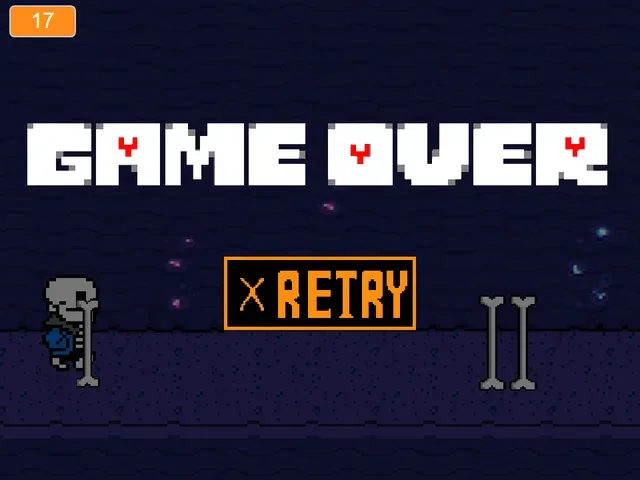
- High-Score Preservation: A single collision with any bone hazard immediately ends your run. The game displays your current run distance alongside your best recorded session score, daring you to restart instantly and push your endurance even further. Competing against your personal record provides endless replay value.
Controls and Runner Inputs
| Key | Action |
|---|---|
| Spacebar / Up Arrow | Jump upward to leap over ground bones, start the game, or restart after a collision. |
| Down Arrow | Duck under airborne obstacles or fast-fall back to the ground while in mid-air. |
| Mouse Click | Click inside the play screen to ensure browser keyboard focus before beginning your sprint. |
Use the Down Arrow while in mid-air to fast-fall back to the ground if an immediate second obstacle approaches.
About DamianSP1's Undertale Runner Parody
Almost every internet user is familiar with the iconic offline T-Rex runner embedded in Google Chrome when network connectivity drops. In Chrome Dino Undertale Game, developer DamianSP1 delivered a brilliant, minimalist parody that swaps the prehistoric dinosaur for a charming skeleton character while replacing classic cacti hurdles with looming white bone pillars.
Key features that make this adaptation an enduring community favorite include:
- Clever Aesthetic Crossover: Combining the stark monochrome pixel simplicity of the classic browser dino runner with Undertale's signature skeleton humor creates an instantly endearing visual parody. The bone guy's frantic running cycle and comical expression capture the lighthearted side of indie gaming, proving that great arcade fun requires nothing more than charming pixel art and responsive mechanics.
- Responsive Low-Latency Physics: Endless runners rely entirely on instant input response. DamianSP1 tuned jump arcs, gravity pull, and collision hitboxes with tight precision, ensuring that clearing high-speed bone hurdles feels satisfying and fair on every attempt. The crisp ground-check detection allows for instantaneous re-jumping the millisecond your feet touch the earth.
- The Fast-Fall Technique: Incorporating the ability to cancel floaty jump arcs by pressing the Down Arrow introduces genuine technical depth. Skilled players use fast-falling to quickly return their feet to the earth, giving them ample runway to react to closely grouped obstacles that would otherwise be impossible to clear. This mechanic separates casual runners from elite high-score masters.
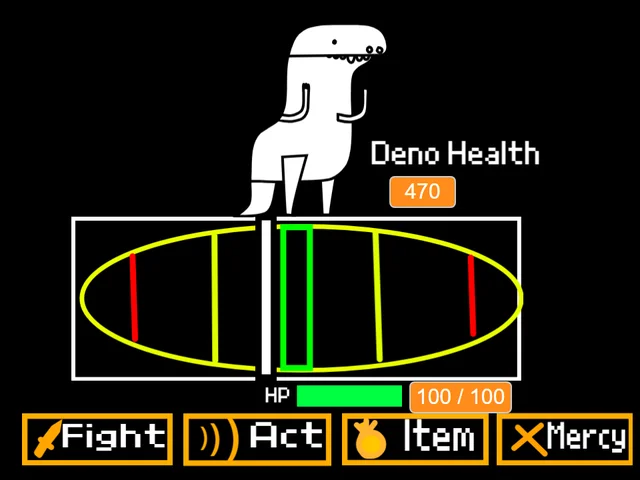
- Pure Arcade Immersion: Without complex inventory menus, lengthy cutscenes, or complicated button combinations, Chrome Dino provides pure, unadulterated pick-up-and-play arcade fun. It serves as a wonderful companion to Deno the Dino, offering a lighthearted change of pace from intense boss battle gauntlets while honoring retro gaming simplicity.
Whether you want to challenge yourself to an intense score chase or enjoy a quick nostalgic reflex test between rounds of Bad Time Simulator, Chrome Dino offers endless entertainment in its purest form.
Runner Pacing and Difficulty Escalation
While Chrome Dino Undertale Game is an endless survival runner, your journey naturally evolves through distinct speed phases as your score climbs:
- The Warm-Up Phase (0 – 200 Points): The opening sprint introduces isolated single bones at manageable scrolling speeds. Use this phase to establish your visual rhythm and practice clean, centered jump arcs over the obstacles.
- The Rhythm Phase (200 – 600 Points): The scrolling speed picks up noticeably. Obstacles now spawn in double clusters and varied heights, requiring players to alternate between full leaps, micro-hops, and occasional ducking slides.
- The Hyper-Speed Zone (600+ Points): In the advanced speed tiers, obstacles flash past in rapid succession. Survival hinges entirely on instinct, peripheral vision, and utilizing mid-air fast-falls (Down Arrow) to reset your footing between rapid-fire bone hurdles.
High-Score Tips and Runner Tactics
Reaching elite distance scores in Chrome Dino requires sharp visual discipline and mastering fast-fall mechanics:
- Master the Mid-Air Fast-Fall: When you clear an obstacle, don't float passively in the air. Tap the Down Arrow to immediately pull your skeleton runner back to the ground. This gives you valuable extra ground time to spot and prepare for the next incoming bone hurdle.
- Fix Your Eyes on the Right Horizon: Do not watch your runner character during the sprint. Keep your eyes anchored on the right edge of the screen where obstacles first appear. Spotting bone shapes early provides the extra split-second needed to calculate your jump timing.
- Differentiate Tap Jumps from Full Leaps: A light, quick tap on the Spacebar produces a lower, faster hop that clears single low bones quickly, while holding the key slightly longer extends your airtime over wide double or triple bone clusters.
- Stay Centered on Your Keyboard: Position your left hand on the Spacebar and your right hand over the Down Arrow. Having dedicated fingers for jumping and fast-falling eliminates input hesitation during high-speed obstacle waves.
- Breathe and Maintain Rhythm: High-speed runners can trigger tense, rigid muscles. Relax your shoulders and breathe steadily, treating the jump inputs as a musical rhythm rather than panic reactions.
- Restart Instantly to Maintain Reflex Momentum: If you trip over a bone, immediately hit Spacebar to start a new sprint while your visual tracking reflexes are still warmed up and tuned to high scrolling speeds.
Frequently Asked Questions
What is Chrome Dino Undertale Game?
It is an Undertale-themed endless runner adaptation of the classic browser offline dinosaur game, where you control a comical skeleton character leaping over giant bone obstacles.
Who created this version of the Chrome Dino game?
This Undertale-inspired endless runner was developed by indie creator DamianSP1, who designed the custom skeleton sprites and obstacle collision hitboxes.
How do you jump and duck in the game?
Press the Spacebar or Up Arrow to jump over bones, and press the Down Arrow to duck under elevated obstacles or fast-fall back to the ground while airborne.
What is the fast-fall mechanic?
Pressing the Down Arrow while your character is in mid-air instantly pulls you back down to the ground, allowing you to quickly recover your footing before the next obstacle.
Does this game feature Sans boss fight bullet hell attacks?
No. Chrome Dino is an arcade endless runner focused purely on running, jumping over bone obstacles, ducking, and competing for distance high scores.
What other arcade runners and retro games can I play here?
Check out our collection of retro arcade adventures including Deno the Dino, Bonetale, and Sans Pacifist Fight Simulator.