
































How to Play TS!Underswap Papyrus Fight Simulator
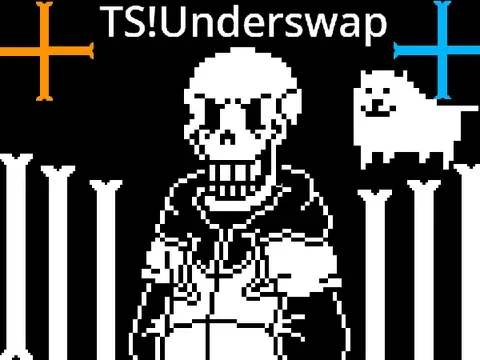
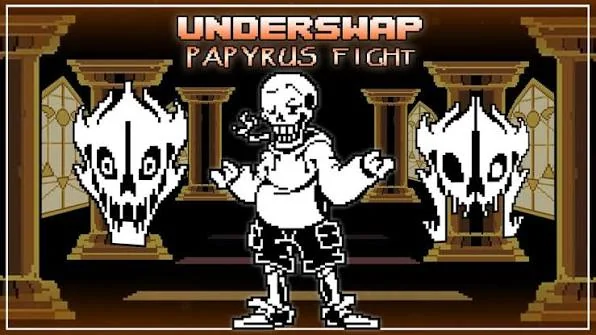
TS!Underswap Papyrus Fight Simulator is an interactive fan-made battle and combat simulator centered on the iconic alternate-universe interpretation of Papyrus from Team Switched's TS!Underswap project. In this popular community timeline, monster roles undergo subtle yet deliberate role swaps while retaining original personality cores. Papyrus takes on the laid-back sentry position in the snowy forest, donning his trademark tan jacket with an orange hoodie and smoking or sipping honey, while bringing an astonishing array of bone magic and soul manipulation into combat.
Unlike standard static boss fights where you merely dodge fixed sequences until dialogue exhausts, this simulator grants players dual control over both sides of the arena. You can experience the challenge from Frisk's perspective by steering the SOUL through complex bullet patterns, or take the director's seat to orchestrate Papyrus's signature attacks, toggle unique SOUL color modes, alter bone physics, and summon environmental hazards in real time.
To begin playing, click once directly inside the game viewport to give the canvas active browser input focus. Navigating menu prompts is handled with the standard directional Arrow Keys, while pressing the Z key confirms choices and advances dialogue. Pressing the X key cancels selections or skips previously seen text. Once battle commences, you can either engage in evasive maneuvers against preset patterns or utilize keyboard hotkeys to test out Papyrus's extensive moveset.
When dodging attacks as the human SOUL, your movement physics depend directly on the active SOUL color. In standard Red SOUL mode, the heart moves freely in all four directions across the bullet box. When Papyrus activates Blue SOUL gravity mode, the heart is pulled downward toward the floor, requiring precise jumps with the Up Arrow to clear rolling bone obstacles. In the elusive Orange SOUL mode, the heart remains in continuous motion, challenging you to steer momentum and use the Down Arrow to cancel involuntary hops.
A critical mechanic built specifically into this simulator is the precision focus key: holding down the X key during incoming attacks slows down the SOUL's travel speed. This deceleration is vital when navigating extremely tight gaps between spinning bone wheels and dense wall columns where high default speed would otherwise cause collisions.
Controls and Hotkey Guide
| Key | Action |
|---|---|
| Arrow Keys | Navigate battle menus and steer the Red SOUL omnidirectionally through the arena. |
| Up Arrow (Blue SOUL) | Jump upward against gravity to clear ground-level bone waves during Blue SOUL mode. |
| Down Arrow (Orange SOUL) | Cancel auto-jumping momentum and maintain lower positioning during Orange SOUL mode. |
| X (Held During Attacks) | Slow down SOUL movement speed for micro-adjustments and weaving through tight projectile gaps. |
| Z / Enter | Confirm highlighted menu actions (FIGHT, ACT, ITEM, MERCY) and advance conversation dialogue. |
| X / Shift | Deselect menu options, back out of sub-menus, or fast-forward conversation text. |
| 0 (Zero) | Cycle through Papyrus's distinct facial expressions and emotional portraits in real time. |
| 1 / 2 / 3 | Instantly switch SOUL states: 1 for Red (Free flight), 2 for Blue (Gravity jump), 3 for Orange (Continuous momentum). |
| W / A / S / D | Trigger directional bone barrages launching from the top (W), left (A), bottom (S), or right (D) of the screen. |
| Spacebar | Unleash the full Bone Storm attack, showering the entire arena with a dense downpour of projectiles. |
| R | Spawn colored spinning bone wheels that require color-coded movement rules to pass through safely. |
| K / L | Deploy rotating bone formations that circle around the arena boundary in clockwise or counter-clockwise orbits. |
| 4 / 5 | Activate trapping bone columns and perimeter cage walls that constrict the player's available dodging space. |
| 6 / 7 | Generate colored bone walls (orange requiring continuous movement, cyan/blue requiring standing perfectly still). |
| M | Summon the mischievous Annoying Dog into the battle arena to interrupt the attack sequence. |
| U / I | Spawn stationary bone hurdles or toggle bone projectile visibility on and off. |
| J | Toggle the special colored arena bounding box mode to test reactive boundary constraints. |
| 8 / 9 | Toggle spinning bone rotation directions (8) and cycle between different bone projectile scale sizes (9). |
| C, E, V, B, N, T, Y, O, P, F, G, H | Trigger specific preset bone formations, wave combinations, and staggered barrage sequences. |
Click inside the game window before pressing keys to ensure keyboard focus is active. Hotkeys for Papyrus's attacks can be triggered at any time to create custom practice trials.
About TS!Underswap Papyrus and Version Background
TS!Underswap Papyrus Fight Simulator is an independent fan recreation developed by creator NeonJolteonPlayz, utilizing the battle engine framework crafted by Nikarosi and featuring character sprite artwork by SternwardDrop based on an earlier project foundation by modeck. Accompanied by Dreem's celebrated instrumental cover of Misfortune—the signature musical theme composed for TS!Underswap Papyrus—as well as the neutral run track LOVE-Struck, this web simulator provides an accessible platform for fans to study and practice the beloved alternate-universe encounter.
To appreciate this simulator properly, it is essential to understand the distinction between various fan projects bearing the Underswap name:
- Team Switched's TS!Underswap: TS!Underswap is a massive, ongoing standalone fangame created by the developer collective Team Switched. Rather than performing a crude one-to-one personality reversal, TS!Underswap retains the genuine character essence of Toby Fox's original monsters while placing them into reimagined roles and narrative contexts. In TS!Underswap, Papyrus resides in Starlight Isles and Sunnedout, maintaining his protective warmth, love for wordplay, and observant nature beneath his relaxed exterior. This web page does not host Team Switched's full downloadable RPG client; instead, it provides NeonJolteonPlayz's focused web battle simulator dedicated to Papyrus's iconic fight mechanics.
- Distinction from Classic Underswap Papyrus: Our website also features the classic Underswap Papyrus Fight Simulator originally authored by loganvcairns in 2016. That classic project represents the traditional community interpretation of Underswap Papyrus, where he wears an oversized orange hoodie, smokes cigarettes, and closely mimics Sans's exact Undertale combat rhythm. In contrast, TS!Underswap Papyrus Fight Simulator showcases the specific aesthetic, animations, and musical identity of Team Switched's version, distinguished by his beige sentry coat, custom attack formations, and the high-tempo rhythms of Misfortune.
- Separation from Other Papyrus Encounters: Players should also avoid confusing this battle with other AU showdowns such as Disbelief Papyrus Fight Simulator or Genocide Papyrus Fight Simulator. Disbelief explores an alternate timeline where Papyrus witnesses his brother's demise and dons Sans's jacket in grief, whereas TS!Underswap is a fundamentally different world with its own lore, aesthetic, and battle choreography.
By bringing together authentic audio tracks, expressive facial animation cycling, multiple colored SOUL dynamics, and an open sandbox attack suite, this simulator serves as both a high-difficulty dodging challenge and an educational tool for Undertale AU enthusiasts.
SOUL Modes and Combat Mechanics
Rather than confining players to a single predetermined battle script, TS!Underswap Papyrus Fight Simulator incorporates three distinct SOUL modes and a versatile attack-testing environment:
- Red SOUL Mode (Free Evasion): Activated by pressing the 1 key. In this standard mode, your heart operates with balanced four-way movement. It is ideal for weaving between stationary bones and dodging rotating bone wheels (triggered with K and L). Success in Red mode depends on smooth, continuous pathfinding around the box.
- Blue SOUL Mode (Platforming Gravity): Activated by pressing the 2 key. Papyrus slams the SOUL with blue magic, anchoring it to the bottom arena floor. In this mode, directional horizontal keys steer the heart along the floor, while tapping the Up Arrow executes jumps. Mastering jump heights is crucial: a quick tap allows low clearance over single bones, while holding Up provides maximum height to avoid high bone waves.
- Orange SOUL Mode (Constant Momentum): Activated by pressing the 3 key. In Orange mode, the SOUL is subjected to perpetual forward velocity, mirroring the classic 'orange stop-and-go' principle. You cannot remain stationary; dodging requires steering continuous trajectories around obstacles, with the Down Arrow key serving as a momentum dampener to cancel involuntary leaps.
- Sandbox Attack Testing Environment: The simulator allows players to trigger any of Papyrus's attacks on demand. By pressing keys W, A, S, D, Spacebar, or preset letters like C, E, V, B, and N, players can test individual attack hitboxes, practice tricky dodging timings, and combine multiple hazards to create custom high-difficulty training gauntlets.
Actionable Strategy Guide and Combat Tips
Mastering Papyrus's complex attack patterns requires precision and familiarity with the simulator's unique mechanics:
- Make Heavy Use of the X Precision Focus Key: When dodging dense bone formations such as the Spacebar Bone Storm or rotating K/L wheels, holding down the X key significantly reduces your SOUL's travel speed. This allows you to perform tiny micro-adjustments within tight gaps without overshooting into neighboring hitboxes.
- Differentiate Between Orange and Blue Rules: When colored bone attacks (keys 6, 7, and R) appear, strictly observe Undertale's color conventions. Move continuously through orange bones without coming to a stop, and release all movement keys to remain completely motionless when blue bones pass through your heart.
- Use Light Taps for Blue SOUL Low Clearance: During Blue SOUL gravity sequences, do not instinctively hold down the Up Arrow. Holding Up propels the heart all the way to the top boundary, where ceiling-mounted bone hazards frequently catch jumping players. Use gentle taps to clear floor bones by mere pixels while staying low.
- Cancel Orange Momentum with the Down Arrow: In Orange SOUL mode, the heart's natural momentum can easily carry you into incoming projectile walls. Tap the Down Arrow to immediately arrest upward elevation and stabilize your trajectory before steering into safe corridors.
- Clear Clutter Before Launching the Annoying Dog: The Annoying Dog (summoned with the M key) moves unpredictably across the battlefield. Avoid summoning the dog while dense bone barrages are active; instead, trigger it during open windows so you can track its movement path cleanly.
- Always Re-establish Canvas Focus: If the SOUL fails to respond to keyboard inputs after selecting menu actions or clicking outside the window, click once on the center of the game screen to immediately restore browser focus.
Frequently Asked Questions
Is TS!Underswap Papyrus Fight Simulator an official Team Switched game?
No. This web simulator is an independent fan creation developed by NeonJolteonPlayz, inspired by Team Switched's TS!Underswap project. Team Switched's official game is a comprehensive full RPG adventure available separately on Game Jolt.
How does TS!Underswap Papyrus differ from the original Underswap Papyrus?
In original Underswap, Papyrus is typically depicted wearing an orange hoodie and closely mimicking Sans's mannerisms. In Team Switched's TS!Underswap, Papyrus retains his authentic personality while serving as a sentry in Starlight Isles, wearing a tan jacket with an orange hoodie and fighting to his signature theme 'Misfortune'.
What are the primary controls for moving and dodging in this simulator?
Use the directional Arrow Keys to steer the SOUL, the Up Arrow to jump during Blue SOUL gravity mode, and hold the X key to slow down your movement speed for precision dodging between tight projectile clusters.
Can I trigger Papyrus's attacks manually in this game?
Yes. This simulator features an extensive hotkey system allowing you to trigger directional bones (W, A, S, D), the Bone Storm (Spacebar), spinning bones (K, L, R), trapping walls (4, 5), colored attacks (6, 7), and the Annoying Dog (M) at any time.
What does pressing the X key do during battle?
Holding down the X key during attacks slows down your heart's travel speed, giving you fine-grained control to weave through narrow gaps without accidentally grazing adjacent bones.
What music plays during this Papyrus battle?
The battle features Dreem's instrumental cover of 'Misfortune', the iconic combat theme composed specifically for TS!Underswap Papyrus, alongside the neutral run track 'LOVE-Struck'.
Does this game support mobile or touchscreen devices?
No. This simulator relies on extensive keyboard inputs and hotkeys for movement and attack triggers, meaning a physical computer keyboard is required for full functionality.